
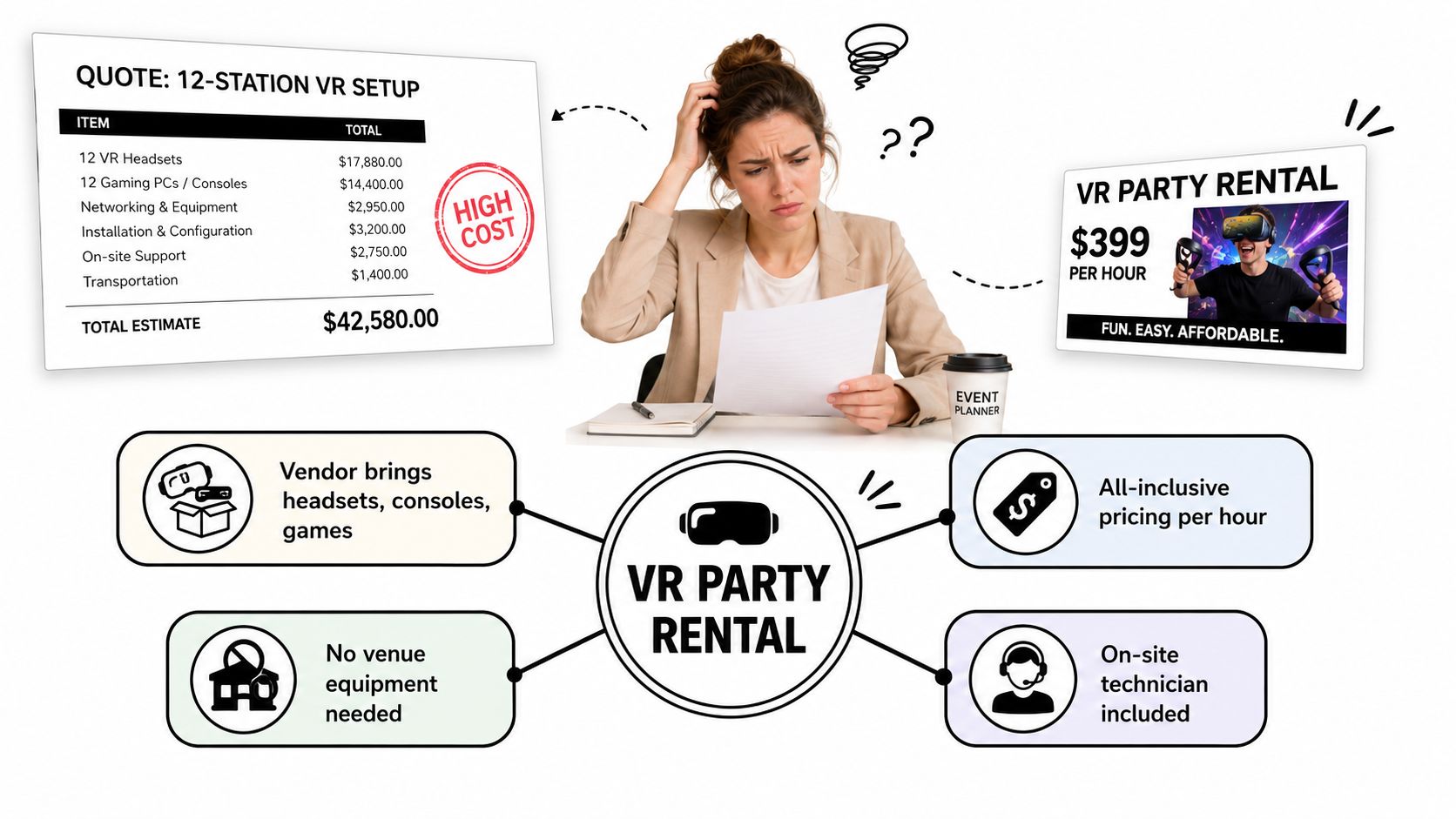
You're staring at a quote for a 12-station VR setup while a different vendor advertises a “$399 VR party rental.” The numbers look worlds apart, and both companies use the same phrase. Before you sign anything, decide what you're buying: a staffed attraction that creates a memorable event moment, or a pile of equipment that leaves your team managing queues, hygiene, breakdowns, and frustrated guests.
A virtual reality party rental can be an excellent choice, but it isn't automatically the best immersive entertainment for every audience. VR competes with photo booths, mobile escape rooms, DJs, arcade games, inflatables, and live performers. The right decision depends on throughput, audience comfort, available space, and whether immersion matters more than letting as many people as possible participate.
What a Virtual Reality Party Rental Is
A virtual reality party rental is a temporary, operated attraction brought to your venue for a defined rental window. The vendor supplies headsets, controllers, tracking equipment, selected games, networking hardware, and staff. The crew sets up the stations, teaches guests the controls, runs sessions, watches the play area, handles basic troubleshooting, sanitizes equipment between users, and packs everything away.
That service differs from a permanent VR arcade. An arcade relies on a fixed site, permanent stations, and walk-in traffic. A rental comes to your school, corporate venue, birthday party, trade show, or community event. You are paying for a managed experience at your location, with the vendor responsible for the technology and its operation.
Two delivery models
Full-service staffed rentals suit most public events. An operator welcomes guests, starts and ends sessions, adjusts headsets, monitors the play zone, and keeps the queue moving. You pay more than you would for equipment alone, but your event team avoids becoming the technician, cleaner, and line manager.
Drop-off self-serve rentals fit a small private gathering with a technically confident host. The vendor delivers and later collects the equipment. Your team handles setup, game selection, charging, cleaning, guest instructions, and equipment failures. Confirm what support the contract includes. “Delivery” does not mean operation.
A package can include Meta Quest or HTC Vive headsets, controllers, foam interface covers, licensed game access, wireless networking, a screen showing the player's view, and trained operators. PC-tethered systems may also require gaming computers, cables, sensors, and more setup time. Standalone headsets are common for event deployments, while tethered PC VR appears less often in event guidance from VR Vision Group.
Practical rule: Book VR as a staffed attraction unless your host can confidently manage equipment, guests, cleaning, and failures.
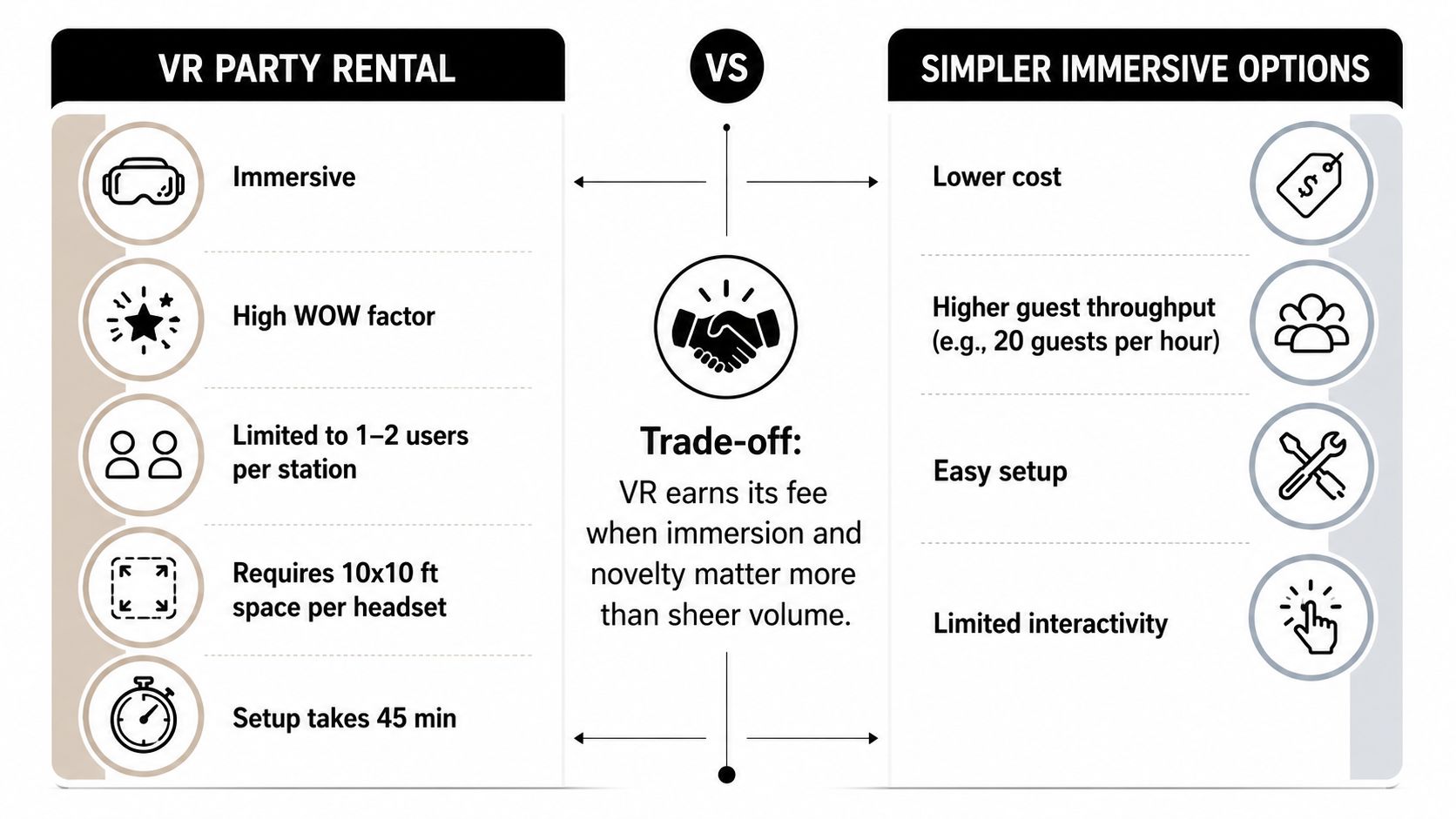
VR remains one option among newer immersive formats, not a universal replacement for other entertainment. A DJ serves the whole room at once. A photo booth creates a keepsake with little instruction. A mobile escape room gives a group a shared challenge. VR provides concentrated, personal immersion to a limited number of players at a time. Plan the footprint, queue, staffing, and expected participation around that operating reality.
Types of VR Attractions You Can Rent
Start with the hardware, then match it to the audience and the way guests will move through the event. A vendor's game list can look impressive, but the format determines your real capacity and operating complexity.
Standalone mobile headsets are the most flexible option. Devices such as Meta Quest systems run without a gaming computer or headset cable, making them useful for birthday parties, school programs, and compact corporate activations. Guests might play Beat Saber, explore a multiplayer arena, or solve a virtual escape-room challenge. They need a clear play zone, active supervision, and a nearby waiting area. This format suits short rotations and first-time players because the operator can quickly swap content.
PC-tethered stations support visually demanding experiences, but cables and computer hardware make the installation more involved. They're better for a controlled corporate demonstration or a premium activation where the experience itself is the centerpiece. They're a poor fit for a crowded outdoor fair unless the vendor can protect the equipment, manage power, and keep cables away from foot traffic.
Free-roam arenas let several guests move through a shared virtual environment. These can work for team-building and carefully scheduled corporate groups, especially when collaboration matters more than casual drop-in play. They require a larger, unobstructed area and more active supervision than individual stations.
Racing simulators use steering wheels, pedals, displays, and sometimes motion seats. They're easy to understand from across a trade-show floor and attract guests who may not want to wear a headset. The trade-off is footprint. A simulator is a focused attraction, not a compact add-on.
Mixed reality activations combine physical props or scenery with virtual content. They're useful for product launches and branded experiences because the physical environment can reinforce the message. Custom branded content usually requires extra budget and lead time, so raise that request during the first sales call.
360-degree video domes offer seated, low-motion storytelling. They're worth considering for museums, educational events, and audiences that may not tolerate active gameplay. They're less interactive, but they can produce smoother participation for guests who prefer observation over physical movement.
| Format | Typical Capacity | Best For | Approx. Footprint |
|---|---|---|---|
| Standalone headset stations | Short rotating sessions for individual players or small groups | Birthdays, schools, casual corporate events | Compact clear play zones plus queue space |
| PC-tethered stations | Individual players or small scheduled groups | Premium demonstrations and controlled activations | Larger station footprint, computers, and cable protection |
| Free-roam arena | Pre-booked groups moving together | Team-building and corporate challenges | Large unobstructed play area |
| Racing simulator | One driver per simulator at a time | Trade shows, racing themes, competitive parties | Dedicated simulator and spectator space |
| Mixed reality setup | Small scheduled groups | Product launches and branded activations | Depends on props, screens, and tracking |
| 360-degree video dome | Seated rotating audiences | Schools, museums, and low-motion programs | Dome footprint plus entry and exit clearance |
For a vendor example, review the VR Experience offering before you compare packages. The important question isn't how many games appear on the menu. It's whether the vendor can turn that library into an orderly, age-appropriate event flow.
When VR Is the Right Pick and When to Skip It
A product launch with guests rotating through a virtual demonstration, a milestone birthday built around a shared story, or a small corporate group tackling a simulated challenge can justify virtual reality party rental. In each case, VR gives the event a central experience rather than another presentation, conversation area, or passive display.
The calculation changes when the priority is fast, continuous participation. One headset at a busy fair creates a queue, and guests who do not want instructions will move to an activity they can understand immediately. VR also becomes harder to justify when it competes with several attractions for the same budget. Staffing, session length, reset time, and guest comfort determine the return, not the size of the game library.
Use the attraction hierarchy
Choose VR when:
- The experience carries the theme: Guests need an activity they cannot reproduce with a phone or ordinary game console.
- The audience is controlled: A smaller rotating group makes scheduling and supervision practical.
- The content has a clear purpose: A branded simulation, collaborative challenge, or age-appropriate game supports the event objective.
- The venue can support the equipment: The floor plan provides suitable space, power, access, and indoor protection.
Skip VR when:
- Everyone must participate quickly: A photo booth, DJ, carnival game, or inflatable can serve more guests with less instruction.
- The crowd is highly mixed: Young children, older adults, and guests with comfort concerns may not want the same headset experience.
- The venue is exposed: Heat, rain, direct sun, and unsecured equipment create preventable operating problems.
- The budget is tight: Simpler attractions usually reach more guests without specialized hardware and dedicated operators.
Decision rule: If VR is the main attraction, rent it. If it is one of five activities, compare lower-complexity options first.
Treat VR as one choice among newer immersive formats, not an automatic upgrade. Event guidance has also warned that immersive technology can become a novelty purchase when planners cannot identify a measurable audience or business purpose, as discussed earlier. Set the intended guest action before booking. Decide whether people should learn, compete, collaborate, or remember a branded moment. If that outcome is vague, the rental will not earn its floor space or staffing cost.
Logistics That Make or Break the Event
Operational planning matters more than the game list. A VR attraction can look polished in a proposal and still fail if guests can't enter the space, operators can't reset sessions, or the venue can't supply dependable power.
Room-scale play requires a genuine safety buffer. Event-rental guidance commonly specifies about 10×10 feet per active user for movement-based setups, and that footprint affects throughput directly because a larger play zone reduces collision risk according to event-rental guidance from Igivu. Don't measure only the headset area. Include the operator position, entry and exit path, queue, spectators, equipment tables, and any display used for casting gameplay.
Build the operating plan before signing
Power deserves a written answer from both the vendor and venue. Confirm which circuits the equipment needs, whether circuits are dedicated, and where extension runs may safely travel. A breaker trip during a corporate demo is not a minor inconvenience. It stops the attraction and makes the entire activation look unprepared.
Staffing should match the experience, not just the number of headsets. One operator may handle a simple seated attraction, while active multiplayer stations need closer supervision. The operator must explain controls, monitor comfort, clear the play zone, sanitize contact surfaces, and reset the next session. If guests have to find your event staff for every headset issue, you haven't booked a complete service.
Standalone content may reduce dependence on venue internet, but don't assume every setup works offline. Ask whether games run locally, whether accounts need to authenticate, and what happens if the venue network becomes unstable. Request an offline fallback experience.
Ask for the floor plan, not just the equipment list. The floor plan reveals whether the vendor understands guest movement.
Load-in access can also change the quote and the schedule. Confirm loading doors, elevator dimensions, parking restrictions, setup access, venue security, and the required breakdown window. Many venues also request a certificate of insurance and additional-insured wording before approving the attraction. Get those documents early.
| Attraction Type | Min. Space | Staff Needed | Setup Time | Price Range |
|---|---|---|---|---|
| Standalone headset station | Clear play zone plus queue and buffer | Operator for guest guidance and safety | Vendor-specific, confirm in writing | Quote depends on duration, stations, travel, and staffing |
| PC-tethered station | Station, computer, cable protection, and queue | Operator familiar with hardware and resets | Longer than standalone deployment | Higher when computers and premium content are included |
| Free-roam arena | Large unobstructed play area | Active supervision for the group | Detailed venue setup required | Premium format, quoted to scope |
| Racing simulator | Simulator, spectator area, and access path | Operator for turns and equipment | Moderate setup | Varies with simulator type and staffing |
| Mixed reality activation | Tracking zone plus physical props | Technical operator and guest host | Content and calibration dependent | Custom branding can increase cost |
| 360-degree dome | Dome, entry path, and seating or standing queue | Host for boarding and turnover | Venue and dome dependent | Quoted by dome size, duration, and content |
The major cost levers are rental duration, number of active players, premium or branded content, staffing, and travel distance. Don't compare a drop-off quote with a staffed quote as if they're the same service. Ask every vendor to price the same scope, including delivery, setup, operation, cleaning, insurance documents, and breakdown.
Where VR Rentals Shine in Real Events
VR works best when the planner gives it a job. “Entertainment” is too broad. Use it to demonstrate something, create a shared challenge, or give a specific audience a memorable break from the normal schedule.
Corporate events
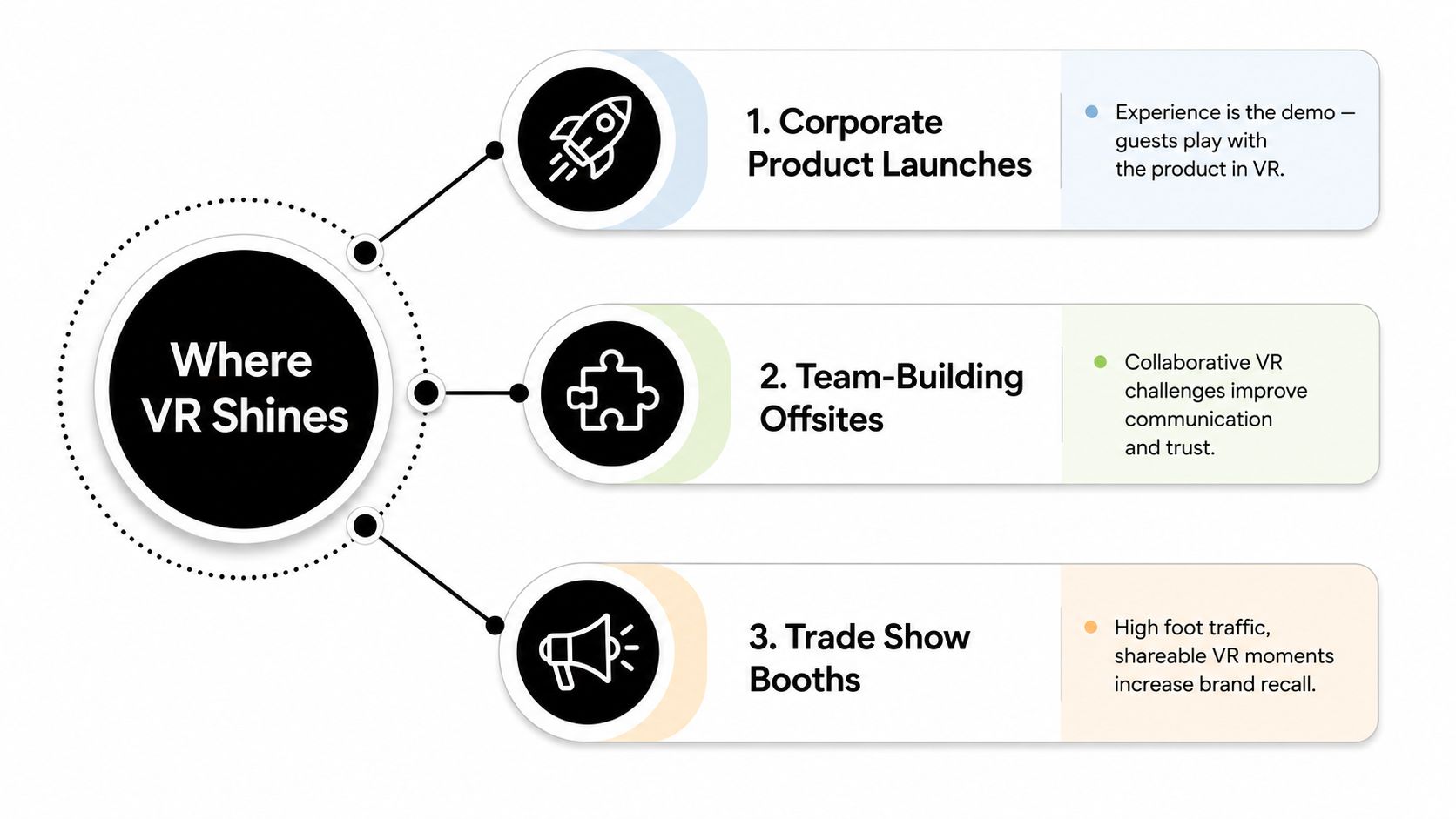
At a product launch, the virtual experience can become the demonstration. Guests interact with a simulated product, environment, or process instead of watching another slide deck. At a team-building offsite, collaborative puzzles and shared objectives give employees a reason to communicate, delegate, and make decisions together.
Trade shows are different. Your goal is to interrupt aisle traffic and create a reason for attendees to stop. A racing simulator, short competitive game, or branded mixed reality experience works better than a long narrative that requires a staff member to explain several steps before play begins.
The common corporate mistake is underestimating rotation pressure. If a large group arrives at once and the vendor has too few stations, the attraction becomes a queue instead of an engagement tool. Schedule waves, use a visible sign-up process, and choose content that can start and finish cleanly.
Schools and youth programs
Schools can use VR for STEM fairs, end-of-year celebrations, orientation programs, and supervised enrichment. Pick content with simple controls, clear time limits, and an obvious learning or exploration angle when administrators or parents need to justify the spend. Keep an alternative activity nearby so students who can't or don't want to wear a headset still have a meaningful option.
The biggest school-event error is treating every student as a suitable VR participant. Age, height, comfort, sensory needs, and content ratings all affect participation. A trained operator should provide an easy exit and never pressure a student to continue.
For planners comparing immersive group activities, mobile escape room options can provide a more collaborative format when the event needs several participants working together without individual headsets.
Birthdays and private parties
For preteens and teenagers, competitive rhythm games, cooperative adventures, and short action experiences usually create better energy than slow, complex simulations. For adult milestone parties, a VR roller coaster, creative experience, or social game can serve as a conversation starter without requiring every guest to be a serious gamer.
Don't make VR the only thing happening at a private party. Guests need food, conversation, and a place to watch others play. For more ideas on combining immersive attractions with broader event programming, planners can browse virtual tour event guides and consider how the experience fits into the overall guest journey.
Safety, Hygiene, and Accessibility Essentials
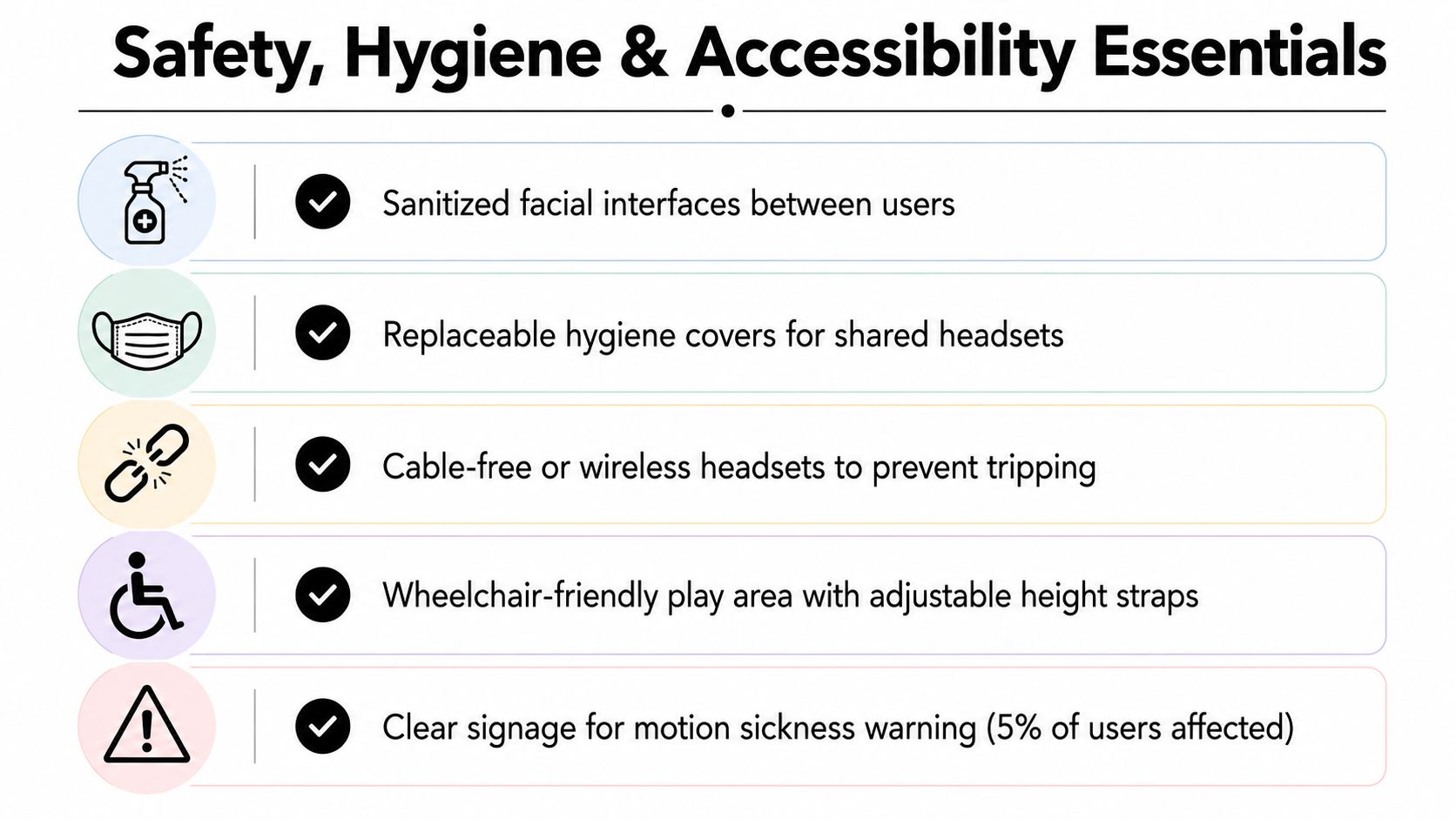
A headset touches the face, covers the eyes, and can affect balance. Professional operation isn't a luxury here. It's what separates a controlled attraction from a risky equipment handoff.
Shared headsets should have hard-contact surfaces and face interfaces cleaned between every user. Guidance for shared VR equipment recommends cleaning those surfaces, using gloves or hand hygiene during handling, and allowing the device to fully air-dry before the next session in the NSW Clinical Excellence Commission guidance. The same guidance stresses checking material compatibility before using alcohol-based products, because an unsuitable disinfectant can damage the headset or lenses.
Reduce discomfort before it starts
Choose comfort-rated content for beginners and keep active sessions short. A vendor should offer seated or stationary alternatives for guests who don't want rapid movement, climbing, flying, or artificial locomotion. Operators should watch for pale skin, sweating, disorientation, or a guest who becomes unusually quiet, then end the session immediately.
Use wrist straps on controllers and mark the active area clearly. Keep spectators outside the play zone, secure cables where tethered equipment is necessary, and use suitable flooring or mats. A guest shouldn't have to guess where it's safe to move.
Accessibility needs active planning
Ask whether each headset supports IPD adjustment for guests with glasses, whether prescription lens inserts are available, and whether narrative content includes captions. Guests with limited grip strength may need alternate controls or seated experiences. Wheelchair users need an accessible route, sufficient turning space, and a station setup that doesn't assume every player will stand.
Content filters matter at mixed-age events. Confirm ratings and remove horror, shooting, or frightening experiences when children or families are present. A waiver should explain possible discomfort and identify any restrictions your vendor requires. Guests with vertigo, recent eye surgery, or other health concerns should be directed to consult an appropriate medical professional before participating, particularly in high-intensity experiences.
Accessibility expands the audience. It doesn't weaken the attraction. It gives more guests a safe way to take part.
Questions to Ask Before You Book a Vendor
Treat the sales call like an interview. A polished website can show exciting footage, but it won't tell you whether the operator arrives on time, whether the games are licensed for public use, or whether the vendor has a backup plan for failed hardware.
Start with staffing and failure recovery:
- On-site operation: Will a trained operator remain for the entire rental window, or does the vendor leave after setup?
- Equipment failure: What happens if a headset, controller, computer, or display stops working?
- Queue control: Who assigns turns, explains the experience, and keeps spectators away from active players?
- Backup inventory: Does the company bring spare controllers, cables, batteries, facial interfaces, or a replacement headset?
Verify the technical scope
Ask for the headset brand and generation, wireless or tethered configuration, maximum concurrent players, and exact attraction footprint. Request a floor plan that includes buffers, queue space, operator positions, and spectator access. Confirm whether the content library is licensed for public events, not merely available on a consumer account.
Then ask venue questions directly:
- Power requirements: Which circuits are required, and does the setup need dedicated power?
- Connectivity: Does the attraction work without venue internet, and what's the fallback if the network fails?
- Access: How long do setup and breakdown take, and what loading access does the crew need?
- Environment: Can the equipment operate outdoors, or does it require an enclosed, climate-controlled space?
- Documentation: Can the vendor provide a certificate of insurance and venue-required safety paperwork?
Get the commercial terms in writing
A credible quote itemizes travel, content charges, overtime, taxes, damage waivers, staffing, delivery, setup, cleaning, and breakdown. Ask for the cancellation policy and sample contract before paying a deposit. Compare two or three written quotes using identical requirements.
You can also review mobile game rental planning guidance when you're deciding whether VR should stand alone or sit inside a broader activity package.
Request references from events with a similar audience and size. Ask specifically about sanitation, accessibility, punctuality, and how the company handled a technical problem. A vendor that answers clearly and documents the agreement is far safer than one that relies on vague package language.
Bringing It All Together for Your Event
Use a simple filter before you book. First, define the purpose. If you need novelty, shared social play, or an experience guests can't reproduce on a phone, VR may justify its premium. If you need background entertainment or rapid participation for a large crowd, a simpler attraction will usually deliver better value.
Next, map the constraints: clear floor space, power access, ceiling height, audience age, accessibility needs, venue rules, and budget. Then shortlist two or three vendors and request quotes covering the same stations, rental window, staffing, content, insurance documents, setup, sanitation, and breakdown.
Book only after the layout works on paper. Give the venue the power and load-in requirements, schedule the operating team, and decide how guests will join the queue. That preparation turns a virtual reality party rental into a deliberate signature moment instead of an expensive technical gamble.
Phantom Entertainment offers a VR experience as part of a wider event-rental inventory, with delivery, setup, and professional operation for events across its service region. If you want to compare VR with other attractions and build a practical package around your audience, visit Phantom Entertainment and request an event-specific conversation.
Ready to Book Your Event?
PA state-inspected, fully insured since 1979. Call us or get a free quote today.