
You're comparing DJ quotes for a company picnic, school celebration, or community festival, and the packages look almost interchangeable. Each promises music, speakers, and a lively crowd. What's harder to spot is who'll make announcements audible, protect quieter spaces, handle a failed microphone, and confirm whether you can publish that dance-floor video afterward.
A good entertainment DJ service is a booking for people, equipment, and clearly assigned responsibilities. Choose the service level around the jobs your event needs done, then put the safety, accessibility, and recording arrangements in writing.
Which Entertainment DJ Service Level Fits Your Event
Say a company picnic books an inexpensive DJ who brings a laptop playlist and a single speaker. Music reaches the nearest tables, but families across the field miss the games announcements. Nobody cues the activities, and the dance floor stays empty because the playlist never changes with the crowd.
The problem isn't necessarily the DJ's taste. The planner bought background playback when the event needed an MC and distributed sound.
Service level determines who does the work: selecting music, addressing guests, coordinating schedule changes, operating microphones, and managing lighting. Package names aren't standardized, so compare deliverables rather than labels.
Match the package to the job
In Cater+Event's 2024 Special Events State of the Industry report, 88% of surveyed special-event businesses reported staging corporate events. Ask vendors for recent corporate references rather than assuming wedding or nightclub experience prepares them for an office crowd.
DJ service levels, what they include and when they fit
| Service level | What is included | Best event fit | Question to confirm |
|---|---|---|---|
| Background playback | Pre-built playlist on provided speakers, no live mixing or announcements | Client dinners, quiet receptions, sit-down lunches | Who sets and enforces the volume ceiling? |
| Standard DJ with MC | Live mixing, requests, basic PA system, announcements and schedule cues | Birthdays, grad nights, company parties, school dances | Does the DJ handle announcements and time cues on the day? |
| Full production DJ | Adds lighting, subwoofers, wireless mics, staging and a backup power plan | Homecomings, spring flings, large festivals, outdoor stages | Who runs the frequency plan and keeps the sound log? |
| Multi-zone entertainment DJ | Dance floor plus quieter social zone, scheduled low-sensory breaks, captioned announcements | Family fun days, mixed-age school events, community festivals | How are zone changes and quiet periods communicated to guests? |
Treat these as scopes to request, not automatic inclusions. A vendor may subcontract staging or captioning, and a full-production package may require an additional technician. Ask who's operating each system while the DJ is mixing.
When reviewing corporate party entertainment, describe the site and program before choosing add-ons. A distant games area needs intelligible announcements more than decorative uplighting.
Practical rule: If guests must hear instructions or the schedule matters, book at least a standard DJ with MC. If the venue has sensitive neighbors or your audience spans mixed ages, request multi-zone planning.
Sound Limits a DJ Should Measure, Not Guess
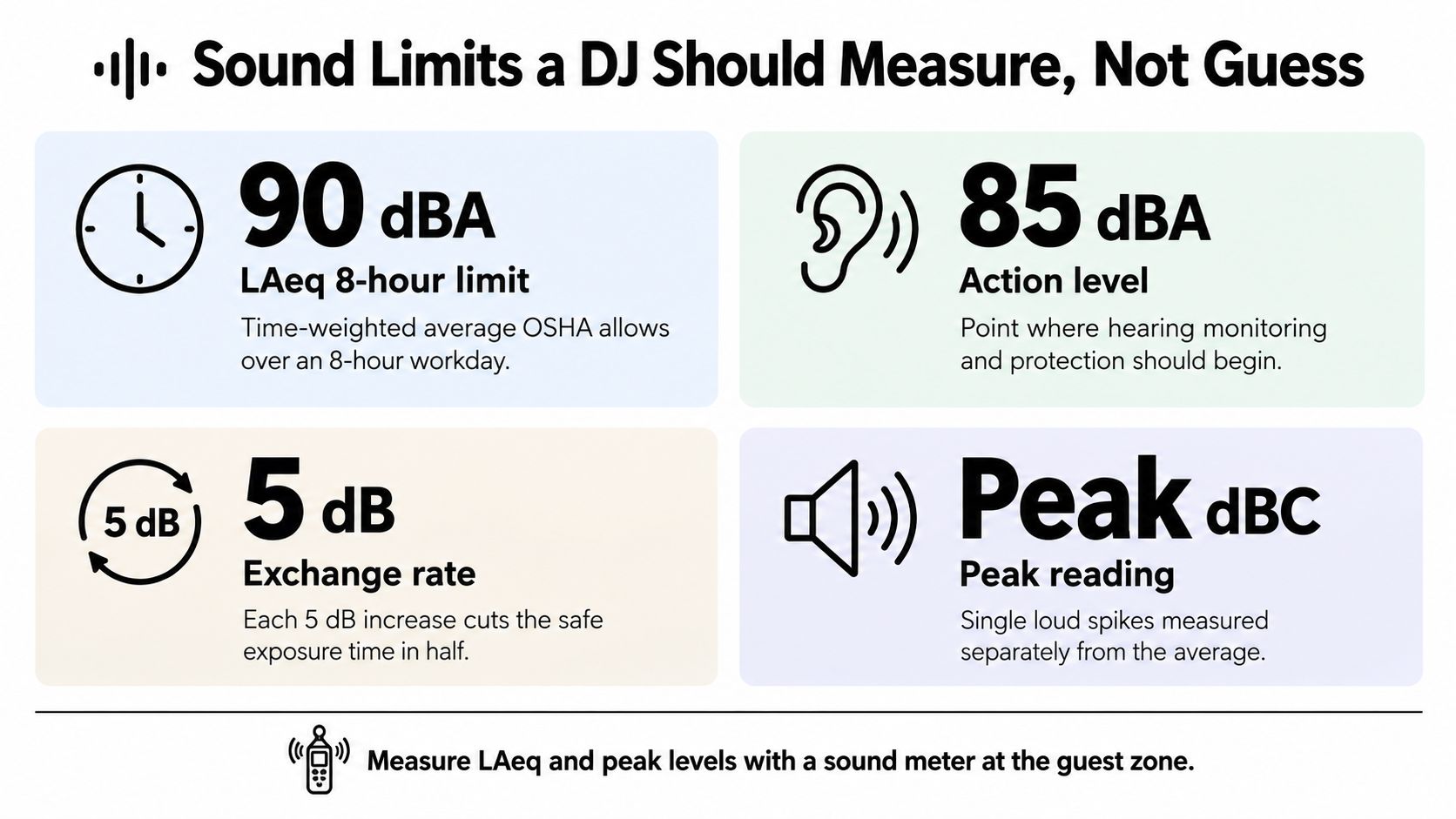
A dance floor can feel comfortable while staff at the speakers are exposed to sustained sound. LAeq describes an average level over a defined period; a peak reading captures a brief maximum. Ask the DJ to track both, rather than treating one momentary reading as proof that sound exposure is controlled.
Sound planning is shared work. The venue supplies its restrictions, the client identifies audience and access needs, and the DJ sets and monitors the system within those conditions.
Know which benchmark applies
The NIDCD sound-exposure guidance and reference information distinguishes occupational benchmarks, including NIOSH's 85 dBA over 8 hours and OSHA's permissible exposure schedule of 90 dBA for 8 hours, 95 dBA for 4 hours, 100 dBA for 2 hours, and 110 dBA for 30 minutes. These are workplace exposure frameworks, not interchangeable event targets. The venue's requirements may be stricter, and the DJ should put the agreed operating threshold in writing.
Sound exposure limits and what they apply to
| Reference | Limit | Time basis | Use at an event |
|---|---|---|---|
| NIOSH recommended exposure limit | 85 dBA | 8 hours | Baseline for crew exposure over a full shift |
| OSHA permissible exposure | 90 dBA | 8 hours | Occupational benchmark for staff exposure |
| OSHA permissible exposure | 95 dBA | 4 hours | Shorter staff exposure window at higher level |
| OSHA permissible exposure | 100 dBA | 2 hours | Short staff exposure window at higher level |
| OSHA permissible exposure | 110 dBA | 30 minutes | Short-duration occupational benchmark, not an audience target |
| Crew hearing protection trigger | 85 dBA | Exposure level | Provide hearing protection where crew exposure may reach this level |
Require a measurement workflow
At the site survey, mark the dance floor, audience perimeter, staff workstations, neighboring residences, and restricted areas. Keep children's activities and fixed staff stations away from loudspeakers where possible. The client should flag access and sensory needs; the venue sets site restrictions, while the DJ is responsible for operating and measuring the sound system.
Require a calibrated sound-level meter that records A-weighted averages and C-weighted peaks. The DJ should measure at guest and worker positions, not only behind the booth, then set system limiters to the approved operating threshold. Ask who will monitor readings during the event and who can call for a reduction.
Measurements need repeating after speakers move, subwoofers are added, or occupancy changes. A crowded tent behaves differently from an empty tent at soundcheck, so an opening reading cannot stand in for ongoing monitoring.
Before the event, request a log format that records measurement position, averaging period, readings, and corrective action. Name the person authorized to request an immediate reduction, and agree how the DJ will respond. A complaint should not be the first prompt to check the meter.
How to Check Wireless Mics Before Guests Arrive
Say a principal's homecoming speech cuts out, returns briefly, then disappears when the transmitter battery dies. The DJ searches a case for replacements while the principal waits, and there's no connected wired microphone to hand over.
That's a preparation failure, not an unavoidable feature of wireless equipment. A microphone sounding fine beside the booth doesn't prove it'll work at the lectern or across the gym.
Use a repeatable RF check
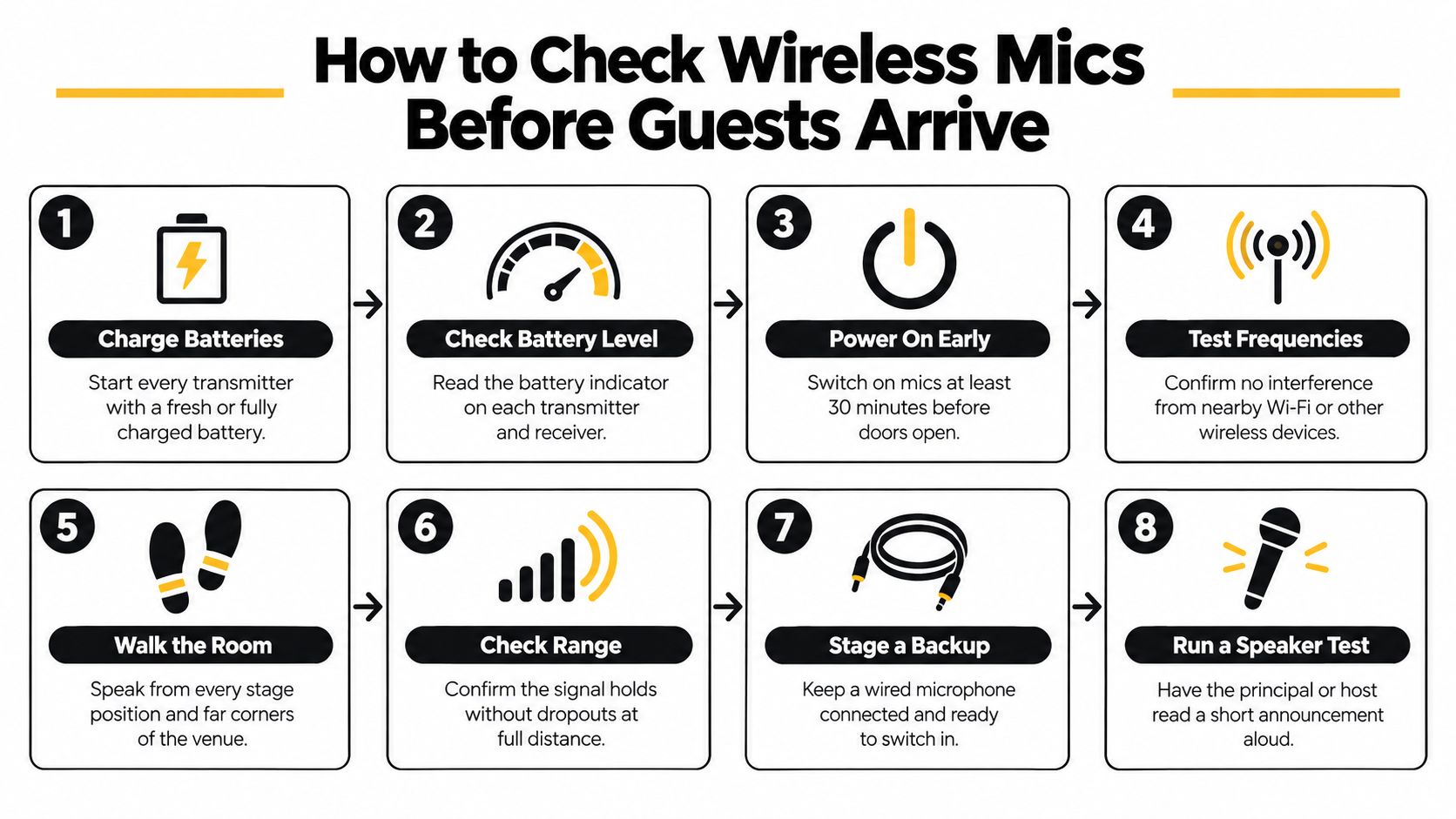
- Inventory the systems. List every wireless microphone, in-ear monitor, intercom, and transmitter frequency, including equipment brought by other suppliers.
- Coordinate frequencies. Check compatibility between systems and identify outside interference before choosing channels.
- Place receiver antennas properly. Keep them in open space, away from metal, power equipment, and other antennas.
- Maintain line of sight. Don't hide receivers where scenery, equipment cases, or the crowd will obstruct the transmission path.
- Prepare batteries and transmitters. Fit fresh batteries or verified fully charged packs, and check each transmitter's settings before guests arrive.
- Listen with transmitters off. Power the receivers and check for unwanted RF activity before activating the intended transmitters.
- Walk-test everything together. With all systems active, speak from the stage, lectern, audience aisles, and any planned presentation position.
- Mute before shutdown. Mute receiver outputs before switching transmitters off to avoid unwanted noise through the PA.
Shure's wireless microphone technical guide recommends keeping transmitters at least 5 meters from receivers where practical, separating transmitters by at least 1 meter, and disabling unused systems.
Stage the fallback before the speech
The backup kit should include a wired microphone, spare batteries, a labeled frequency plan, and an emergency playback path. Keep the wired microphone connected and reachable, rather than packed under the table.
Ask the actual speaker to rehearse briefly so the operator can set gain and explain microphone placement. Turning up gain during a speech won't repair poor RF reception and may introduce feedback.
Every active wireless channel should pass an individual listening and walk test. Replace or remove a failing channel before the program starts.
Assign RF coordination to a named operator. If several suppliers bring wireless systems, someone must coordinate the combined inventory rather than approve each supplier's equipment in isolation.
Playlist Planning and MC Duties Worth Writing Down
For a hypothetical three-hour company picnic, a workable starting schedule might allocate about 45 minutes to relaxed arrival music, 90 minutes to dance-floor material with a call-and-response break, 30 minutes to games and sponsor thanks, and 15 minutes to winding down. Those are planning choices for this example, not a formula for every picnic.
The useful part is the sequence. Guests arrive and talk, participate, gather for announcements, then leave with a clear finish rather than an abrupt silence.
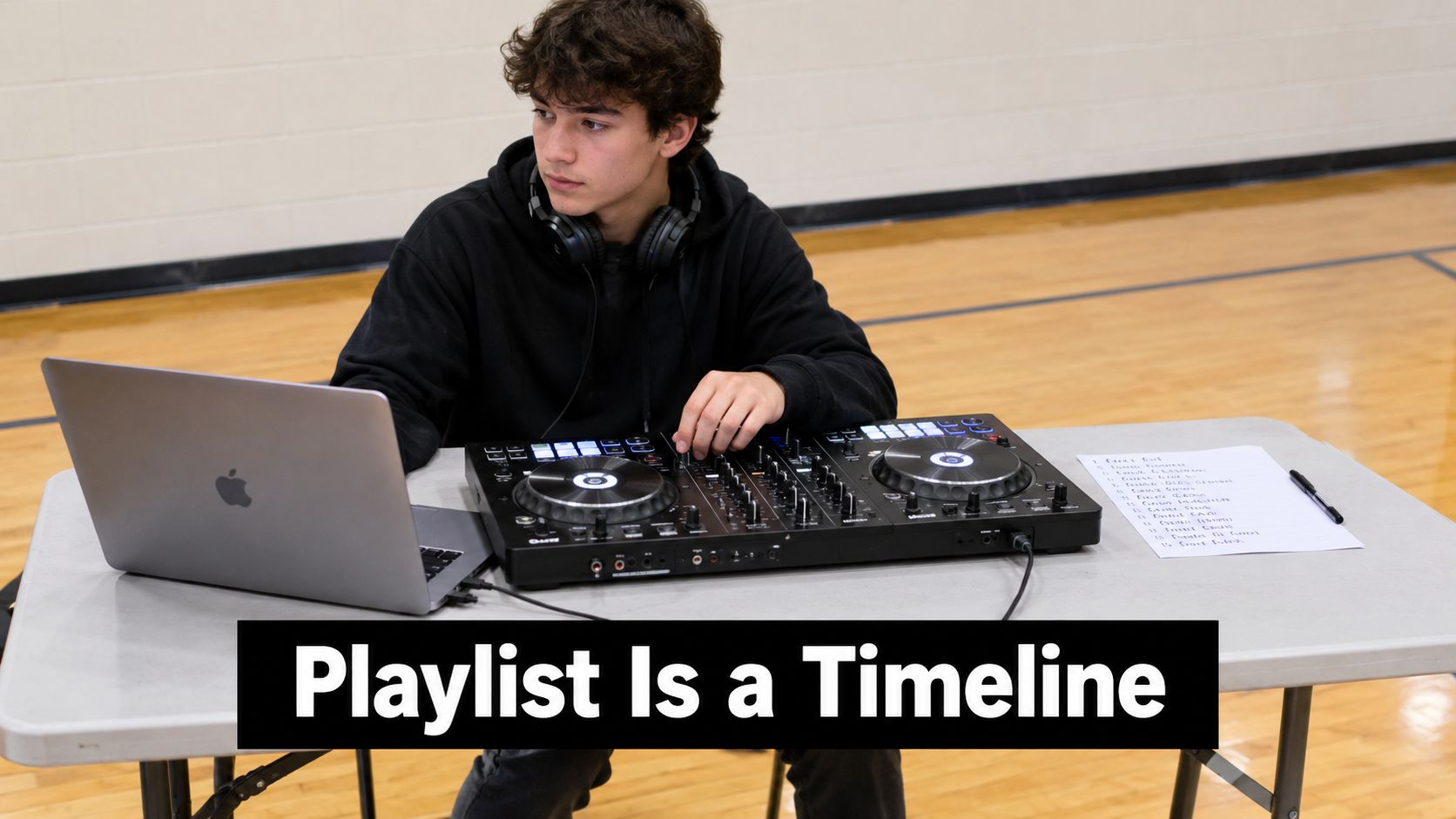
A good playlist is a timeline with musical options, not a pile of favorite songs. Give the DJ room to respond to the audience without surrendering control of the program.
Write a usable music brief
- Must-play selections. Identify the songs tied to particular moments, and distinguish those from general preferences.
- Do-not-play selections. Specify prohibited songs, sensitive themes, and clean-version requirements. A radio edit still needs a content check.
- Segment preferences. Describe the genre mix for arrival, meals, activities, dancing, and departure.
- Request authority. Collect requests in advance through a form, agree on a cap per hour, and name the person who can override a request that conflicts with the program.
For wedding entertainment planning, the same briefing method helps separate formal entrances and dances from open dancing. Don't make the DJ guess which song is essential and which was merely suggested by a guest.
Define what the MC actually says
An MC assignment should include more than permission to use the microphone:
- Open the event. Welcome guests and explain where activities are happening.
- Introduce speakers. Use approved names, titles, and pronunciations.
- Cue participation. Explain games clearly and tell guests where to go.
- Deliver credits and warnings. Read sponsor acknowledgments and give agreed time notices.
- Follow emergency instructions. Use the approved script under the direction of the event's designated lead.
If you're using Saucial to share event images with guests, place the sharing instructions in an approved MC cue rather than asking the DJ to invent the wording mid-event.
Require a single-page run sheet with clock times, microphone handoffs, music cues, and the person who approves changes. Keep speech underscoring low enough for intelligibility, and remove it entirely when it distracts from the message. A DJ who won't share a run sheet leaves you unable to verify timing before guests arrive.
Accessibility and Sensory-Friendly Event Planning
Louder doesn't automatically mean more engaging. A packed dance floor can coexist with guests who can't tolerate the lighting, understand an announcement, or find somewhere comfortable to talk.
The Event Industry Report 2025 Asia Edition describes a survey of 320 senior event decision-makers in which 72% of organizations had an accessibility target for their events, with expectations including captions, audio description, controlled noise, quiet spaces, and advance collection of attendee needs. That survey describes its respondents, but the operational questions are useful for any planner.
Ask for adjustments guests can actually use
- Volume and lighting. Can the program include low-volume periods and a no-strobe setting, with those instructions shared across the crew?
- Private requests. How can guests ask for a sound, lighting, or content adjustment without addressing the crowd?
- Visible information. Can spoken announcements also appear on screens, and who supplies captioning where needed?
- Predictable transitions. How will guests who can't hear announcements learn that an activity or sensory break is starting?
Don't accept a quiet-area promise without checking the layout. A social zone beside a subwoofer won't become quiet because someone puts up a sign.
Build around different ways to participate
For a family fun day, place the dance floor away from a shaded quiet tent with subdued lighting and a posted timetable. Use clear boundaries without blocking accessible routes, and avoid positioning the tent beside generators or an attraction's queue.
The venue should approve the location and access routes. The DJ should confirm speaker orientation and lighting behavior, while the client owns attendee communications and arranges any specialist accessibility support.
If you add karaoke entertainment, make participation optional and explain how guests can submit a song without approaching the stage. Confirm readable lyric displays and a host who won't pressure reluctant guests.
Participation can mean dancing, singing, watching, or talking comfortably. Plan for all of those choices.
Send an attendee-needs form before finalizing the booking. Ask about practical adjustments rather than diagnoses, restrict access to responses, and use the answers to define the vendor's scope. Don't promise captioning, quiet periods, or lighting changes until someone has accepted responsibility for delivering them.
Music Licensing, Recording and Insurance Responsibilities
A DJ's music subscription isn't proof that every use of the event is permitted. Playing a track in the room, livestreaming the set, recording it, and placing it under a company recap video are different activities.
DJ Toty Gee's licensing guidance identifies potentially separate permissions for public performance, digital communication, recording, copying, and synchronization, including complications when music crosses borders. A physical venue license may cover only part of a hybrid event, and requirements can change with the jurisdiction, venue, repertoire, and use.
Assign an owner for every intended use
The matrix below is a contract-checking framework, not a legal allocation that applies everywhere. A contract can assign the clearance task, but it can't create rights the parties don't hold.
Who usually handles each music, recording and insurance task
| Task | Venue | DJ provider | Client |
|---|---|---|---|
| Public performance license for the room | Often holds or arranges premises licensing | Confirm whether the provider holds any applicable license | Obtain written confirmation of the responsible party and covered use |
| Livestream of the DJ set | Check the scope of premises permissions | Confirm permitted platforms and territories | Arrange required permissions and specify the stream in the contract |
| Employee clips posted from the dance floor | Confirm any venue recording restrictions | State the recording clause in the agreement | Set and communicate posting rules; don't assume clips are cleared |
| Music in a company recap video | Usually not the clearance owner | Supply track details and clear any provider-supplied edit as agreed | Assign synchronization and recording-rights clearance before publishing |
| Certificate of insurance | States venue insurance requirements | Supplies certificate and relevant coverage details | Requests documentation identifying the event and checks venue acceptance |
Ask directly whether the client may livestream the DJ set, whether employees may post dance-floor clips, and who clears music for sponsor content. Include platforms, territories, replay availability, and any recording restrictions in the written agreement.
If a provider offers a custom mashup or sampled promotional track, review the clearance process as well. Isolate Audio's guide to legally use samples in your tracks is useful for understanding why access to an audio file isn't the same as permission to reuse the underlying material.
Check insurance separately from music rights
Request a certificate of insurance, compare the coverage limits with the venue's requirements, and check the event name and date. If the venue requires additional-insured status, ask for the appropriate endorsement rather than assuming a certificate alone provides it.
Have the venue approve the documentation before load-in. Insurance paperwork doesn't resolve music permissions, and music permissions don't establish that equipment operation is insured.
The practical recommendation is to document intended uses before anyone starts recording. If clearance remains uncertain, keep the DJ audio out of the livestream or publish a recap using music specifically cleared for that purpose.
Confirm These Points in Writing Before You Sign
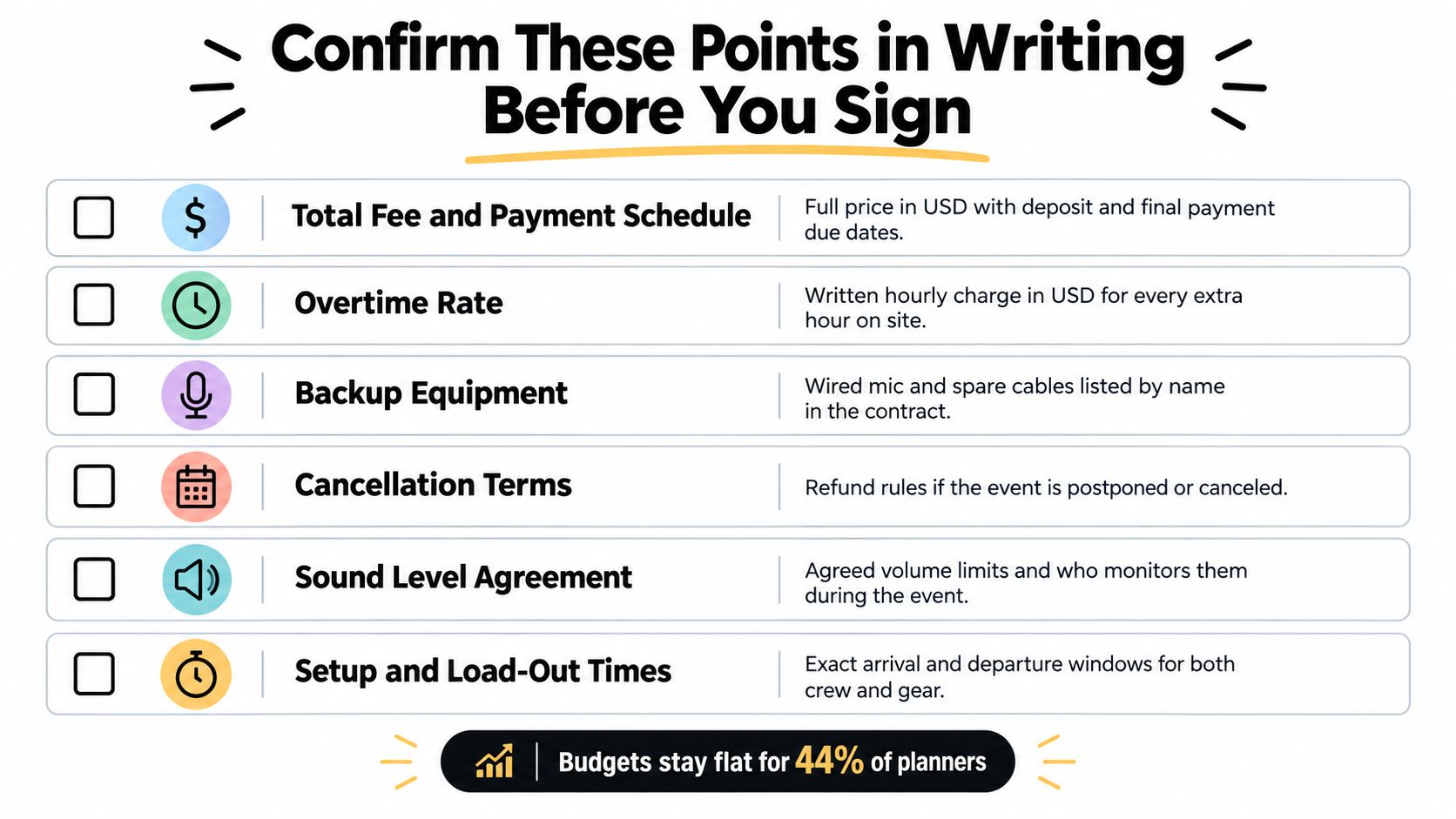
According to BizBash's coverage of the Winter 2023 Encore Planner Pulse Survey, 44% of meeting professionals expected their 2024 event budgets to remain flat. Under budget pressure, it's tempting to delete technical preparation and documentation while keeping the visible extras.
I'd reduce the production tier first. A standard DJ with MC and clearly assigned operating duties is a better purchase than an elaborate lighting package with unresolved responsibilities.
Close the contractual gaps
- Named personnel. Identify the booked DJ, the named illness backup, and the process for approving substitutions.
- Access and overtime. State setup and teardown windows, soundcheck access, overtime charges, and who can authorize extra time.
- Payment and cancellation. Record the total fee, deposit schedule, final-payment deadline, and postponement or cancellation terms.
- Request decisions. Document how requests are collected and capped, plus who decides when they conflict with the schedule.
- Shared planning documents. Set a delivery deadline for the run sheet and identify who approves the final version.
Compare equal scopes
Keep the sound-monitoring commitment, microphone fallback, accessibility arrangements, insurance documentation, and licensing allocation attached to the quote. Don't accept a verbal assurance that contradicts an exclusion in the contract.
Ask each shortlisted provider for a written quote for the same service tier, a run-sheet template, the insurance certificate, and a sample sound-log format. Compare those submissions side by side before paying the deposit, and resolve missing responsibilities while you still have negotiating room.
For an option that combines DJs, MC services, music planning, sound, lighting, and other event activities, visit Phantom Entertainment. Send your venue layout, audience needs, and draft schedule, then request a written scope that identifies the entertainment package, technical responsibilities, and documentation your venue requires.
Ready to Book Your Event?
PA state-inspected, fully insured since 1979. Call us or get a free quote today.