
A school asks for a dance, and the quotes range from a few hundred dollars to more than a thousand. The difference usually isn't just the playlist. One quote may cover speakers and a DJ, while another includes an MC, extra microphones, lighting, travel, setup time, and someone responsible for keeping the event on schedule.
That's why DJ party rentals are best compared as a sound-and-access plan, not just a music purchase. Start with what the event needs the DJ to do, then check what the quoted rate includes, what costs extra, and whether the setup works for every guest.
What a DJ Party Rental Includes and What It Costs
The simplest package may be the right choice for a backyard gathering. A more involved event, with speeches, a fixed program, or a large room, needs more than speakers and a playlist. Since prices aren't comparable unless the service is comparable, use the rate as an anchor, then check the full list of inclusions and add-ons before choosing.
| Package | Typical Inclusions | Best Fit |
|---|---|---|
| Playlist-based speaker rental | Powered speakers, stands, cables, pre-built playlist | Backyard parties with fewer than 40 guests and no need for a host |
| Staffed DJ with sound system | Professional DJ, mixing gear, one or two wireless microphones, setup and teardown | School dances and office parties with 40 to 150 guests |
| Staffed DJ with MC | Staffed DJ package plus announcements, games, and timeline management | Corporate events, graduations, and mixed-age crowds |
| Full production with lighting | Uplighting, moving-head lights, extra speakers, and subwoofers | Galas and venues with more than 150 guests |
Compare the tiers by responsibility
A playlist-based speaker rental provides equipment and music, but nobody is managing the room. Someone from the organizing team has to start the playlist, adjust the volume, field song requests, and respond if a cable comes loose or a speaker stops working. Check whether setup and pickup are included, and whether the venue has accessible power where the speakers will sit.
A staffed DJ with sound system adds a person who can mix music, take requests, and manage the sound during the event. Confirm how long the DJ's booking covers and whether setup and teardown fall inside that window or are charged separately. Ask whether the microphones are wireless, how many are included, and whether a backup is available.
A staffed DJ with MC adds a host who can introduce speakers, make announcements, run games, and help keep the program moving. Don't assume “DJ included” also means “MC included.” Get the responsibilities in writing, especially if speeches, awards, or other scheduled moments need to happen on time.
Full production adds lighting and a larger sound setup. More equipment isn't automatically better: speakers and subwoofers need to suit the room, while lighting should support the event rather than create unwanted glare or flashing effects. Confirm what the venue supplies and whether its electrical setup can support the production.
Ask before comparing rates: What exactly is included in the hourly rate, and what is billed separately?
Travel, overtime, extra setup time, additional microphones, and venue power or load-in fees can all change the total. A photo booth is a separate entertainment choice, not a substitute for sound coverage; Phantom Entertainment also offers photo booth rentals for events where guests want an activity alongside the music.
DJ, Playlist or Hybrid Setup That Pays Off
Budget pressure can make the lowest quote look like the obvious choice. In a 2025 industry survey, 84.1% of respondents cited higher event costs, and 46% cited reduced client budgets, according to ConventionSouth's 2025 State of the Industry report. The better comparison is what each setup costs for the same event and what work it leaves with the organizer.

Compare the job each setup does
| Setup | Best For | Main Trade-off | Relative Cost |
|---|---|---|---|
| Curated playlist on speakers | Small, low-stakes parties with no speeches | No one manages timing, requests, or failures | Lowest |
| Staffed DJ | Mixed-age crowds, announcements, and hard schedules | Higher hourly cost and a fixed contract | Medium to high |
| Hybrid: DJ for the first hours, playlist after | Long events that need a lively start and a calm finish | Needs a clear handoff plan | Medium |
With a curated playlist, the organizer is also the sound operator. Someone has to start and stop the music, handle the microphone if there is one, and troubleshoot playback problems. A staffed DJ takes responsibility for music and sound during the booking, but confirm whether that person also emcees. A hybrid setup can put a DJ in charge during the active portion, then hand off to a prepared playlist for a quieter finish. It only works smoothly if one named person knows how to take over the controls.
For a fair comparison, price each option for the same event length. List the base hourly rate, setup and teardown hours, travel, MC time, extra microphones, lighting, overtime per 30 minutes, and venue power or load-in fees. Then add the line items for each setup instead of comparing a playlist quote that excludes equipment time with a staffed quote that includes it.
Measure the result by the dance-floor participation, request satisfaction, whether speeches started on time, and organizer hours spent managing the event. Those checks show whether the cheaper option saved money or shifted work to the host. For events where singing is part of the plan, consider whether karaoke rental fits better than asking the DJ to carry the whole entertainment program.
- Choose a playlist for a small, low-stakes party with one speaker, no speeches, and someone willing to manage playback.
- Choose a staffed DJ when the crowd spans age groups, announcements matter, or the schedule has to hold.
- Choose a hybrid for a long event, such as a field day, that needs a lively opening and a calmer finish.
AI-assisted and cloud-based DJ tools can help with music access, but they don't replace human judgment about clean edits, timing, requests, microphone control, or emergency announcements.
How to Book a DJ Step by Step
Make the setup decision before you request quotes. Then give each provider the same event details, so you can compare the service rather than sorting through different assumptions.
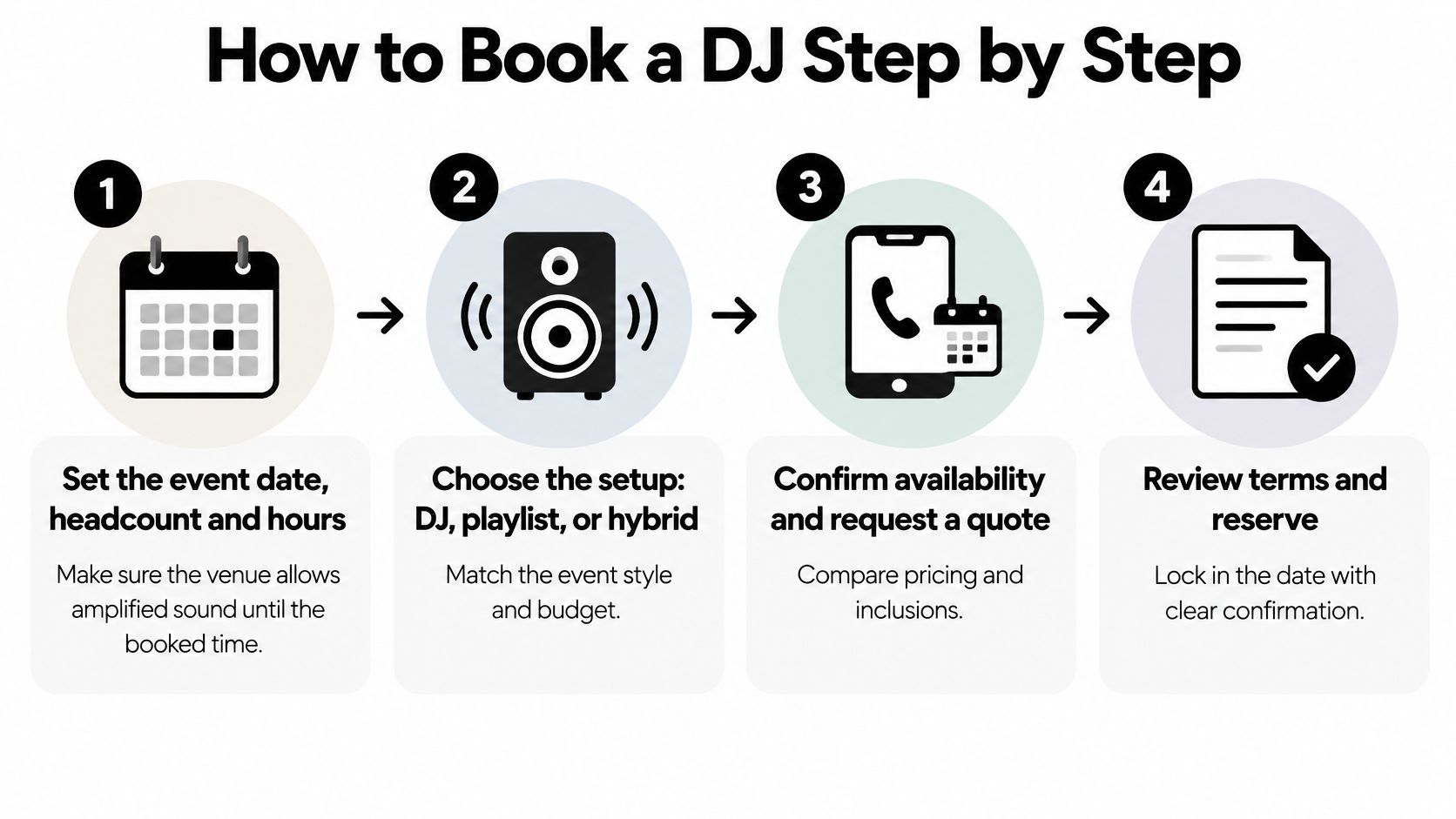
Set the date, headcount, event hours, and venue rules. Ask the venue whether amplified sound is allowed for the entire planned event window. Booking before you know the sound cutoff can leave you paying for a performance that has to stop early.
Shortlist providers and request written quotes. Send each provider the same event details and chosen setup. Compare setup and teardown time, travel, and overtime as well as the performance rate; a quote that leaves these out isn't directly comparable.
Ask for sample mixes or video from a similar crowd. A DJ who can keep a club floor moving may not be the right fit for a family event or a school dance. Look for music choices and microphone style that match your guests, not just polished equipment shots.
Discuss MC duties and microphone needs before signing. State whether the DJ will introduce speakers, run games, make announcements, or manage a program. Adding those responsibilities after a contract is signed can create extra charges or leave the role unclear.
Review the written agreement before paying a deposit. Confirm the performance window, equipment, setup arrangements, cancellation terms, and any overtime charge. Don't rely on a verbal promise about backup equipment or what happens if the event runs late.
Send the music brief with enough time for the DJ to use it. Include must-play and do-not-play songs, explicit-lyric rules, and the schedule for speeches or awards. A brief sent at the last minute leaves little room to resolve conflicting requests or timing changes.
Confirm the room setup with the venue. Check the power outlets, load-in route, floor space, and setup access with the venue and DJ. An equipment plan that looks fine on paper can fail if a cart can't reach the room or the outlet is far from the booth.
Set an arrival and sound-check plan. Agree on when the DJ will arrive, how long setup requires, and who will be available to let them in. The sound check should confirm microphone levels and coverage around the room, not just whether music plays beside the speakers.
A signed quote should describe the event you're actually running, not a generic package name.
For a busy weekend or a school event with a fixed date, start contacting providers early. Graduation and homecoming dates can be especially competitive, so don't wait until the program and venue logistics are already locked to find out whether a DJ is available.
Contract and Rider Checklist Before You Sign
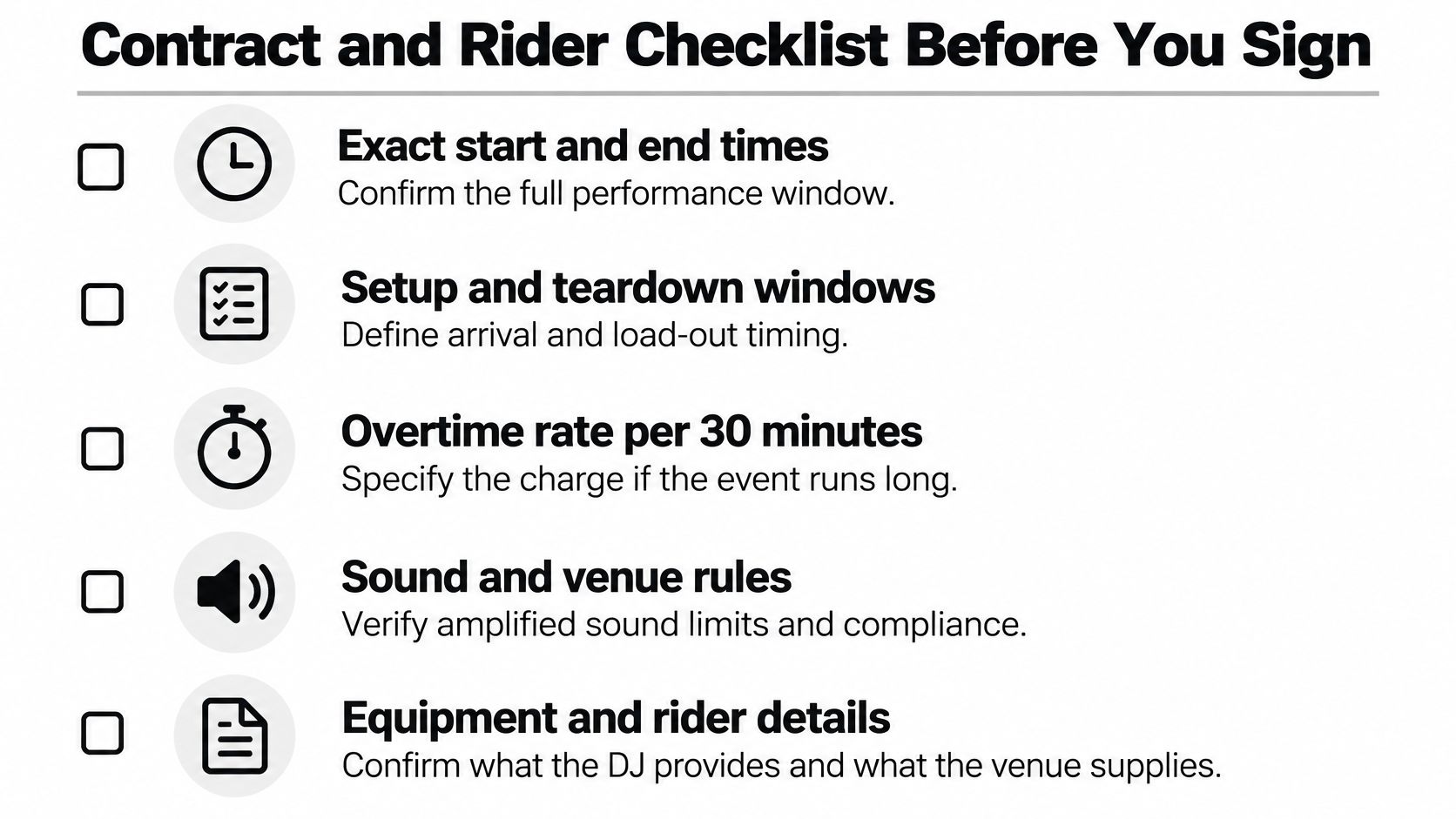
A package name is not a contract. Read the written agreement for exact responsibilities, equipment, timing, and what happens when the event changes. If a detail could affect the sound, schedule, or final bill, get it confirmed in writing.
Timing and scope
- Performance window: Write down the exact start and end times, including whether the DJ's arrival or setup falls within the booked hours.
- Setup and teardown: Confirm when the DJ can enter, how much room the setup needs, and when equipment must be removed.
- Overtime: Ask for the overtime charge and how it's calculated. Make sure the agreement states who can approve an extension during the event.
Equipment and roles
- Sound coverage: Confirm the speaker setup and where it's intended to cover. Ask whether equipment is appropriate for the room and guest count.
- Backup gear: Specify whether there's a backup microphone and speaker, and who supplies cables or extension cords.
- Host responsibilities: State whether the DJ is also the MC, who handles announcements, and who makes the call when guests request conflicting songs.
Music and venue requirements
- Music rules: Put clean-edit and explicit-lyric requirements in writing, along with any songs or genres the organizer wants excluded.
- Public performance licensing: Ask which party is responsible for any required licensing for public performance. Don't assume that a personal streaming subscription covers a public event.
- Venue setup: Confirm outlet locations, load-in access, floor space, and whether the DJ can use a stage or table. Check the venue's sound rules and any required insurance documentation.
Changes and cancellation
Read the cancellation and rescheduling terms, including what happens if weather disrupts an outdoor event or power fails. If the venue requires a certificate of liability insurance naming it, confirm who will provide the document and when.
If a clause is missing, ask for it in writing before the deposit clears. Verbal assurances about overtime, backup equipment, or extra MC duties are difficult to rely on when the room is full and the event is underway.
Planning Sound and Access for Every Guest
Louder and more immersive isn't automatically better. A dance floor can be lively without overwhelming guests who need predictable sound, a quieter place to regroup, or a clear path through the room. A 2025 meetings survey and event-planning report identified accessibility for disabilities as an ongoing planner challenge and highlighted practical measures such as captioning, sensory kits, quiet spaces, controlled noise levels, and accessible wayfinding.
Ask about access before booking
Ask the DJ whether they can follow a volume policy, including planned lower-volume periods, and whether the venue can provide a quiet decompression area away from subwoofers. If announcements are important, ask whether they can be captioned or displayed visually, and who will supply the screen or captioning support.
Discuss lighting and music restrictions in specific terms. Can the DJ avoid strobe-style changes and sudden loud transitions? Can the playlist follow clean-lyric rules? Can the speaker placement and booth keep wheelchair routes, accessible exits, and emergency egress clear? A general promise to “make it accessible” isn't enough to guide equipment placement or the event schedule.
For a school field day, a sensory corner might use dimmed lighting and headphones, with a planned quiet period before a final dance. A visual schedule posted at the entrance can help guests understand when the music, announcements, or activities will change. These choices are easier to coordinate before the floor plan and equipment placement are finalized.
Include access questions in the sound check. Listen from the farthest seat from the speakers and confirm that announcements remain understandable without pushing music volume higher than necessary. Agree on who can ask for an adjustment during the event, so the DJ doesn't have to guess whether a lower-volume request is temporary or part of the plan.
Match Your Event Type to the Right Setup
The best setup depends on what the event asks the DJ to manage. A company party may need a calm host for announcements; a graduation needs reliable timing and name calls; an outdoor festival needs a weather plan as well as music. Choose the package around those tasks, then confirm the first question that matters for your event.
| Event | Priority | First Question to Ask |
|---|---|---|
| Corporate picnic or holiday party | Clear MC, short speeches, clean playlist | Who runs announcements and who handles the mic? |
| School field day or homecoming | Sensory-aware volume, mixed ages, reliable timing | Can you publish a volume policy and provide a quiet zone? |
| Graduation or grad night | Timed song list, name announcements, fixed end time | Can you hit the schedule and handle the name calls? |
| Family birthday or bar or bat mitzvah | Flexible playlist, age range, dance-floor energy | What is the hourly rate and what is extra? |
| Church or community festival | Outdoor power, weather plan, steady volume | What backup power and weather rules apply? |
Match the role to the event
For a corporate picnic or holiday party, choose a staffed DJ with an MC if the program includes speeches or announcements. Keep the music suitable for a mixed crowd, and establish who holds and passes the microphone. Phantom Entertainment has service pages for corporate parties, church events, and college events, alongside DJ party services.
For a school field day or homecoming, put volume, quiet space, and timing into the booking conversation. A staffed DJ or hybrid setup can work, provided the organizer and DJ agree on how the music changes over the event. For a graduation or grad night, send the run of show and name list in a format the DJ can use, then confirm how late changes will be handled.
A family birthday or bar or bat mitzvah may need only a playlist and speakers if there are no speeches or formal moments. If guests span age groups or someone needs to host the program, a staffed DJ is a safer fit. For a church or community festival, settle the outdoor power and weather plan before choosing equipment, and agree on a quieter finish if the event continues after the dance portion.
This week, write down your event's top three priorities and send them to two providers for written quotes. Use the contract checklist to ask each provider about the same responsibilities, equipment, and schedule.
Phantom Entertainment offers DJ and event services for school, corporate, church, and family gatherings, so you can plan music alongside the rest of the event. Share your event type, schedule, and sound needs with Phantom Entertainment to discuss a setup that fits the room and the guests.
Ready to Book Your Event?
PA state-inspected, fully insured since 1979. Call us or get a free quote today.